React Virtual DOM: Why It Makes React Better and How It Really Works
P
A software engineer who likes to explore new technologies, problem-solving, build projects, and have a keen interest in Web development.
Search for a command to run...
A software engineer who likes to explore new technologies, problem-solving, build projects, and have a keen interest in Web development.
No comments yet. Be the first to comment.
How a 3-line Prisma query fired 1,847 database queries per request — and how we found, fixed, and prevented it from ever coming back.

When building backend systems, especially SaaS applications, handling background jobs correctly is critical. Whether it's sending emails, processing payments, or scheduling reminders, choosing the rig
Guide to Zero-Interruptions Deployment for Node.js on AWS EC2

Clearing the Confusion Around JavaScript Function Arguments
When we work with objects and arrays in JavaScript, we often need to copy data. But copying in JavaScript is not always as simple as it looks. Depending on the method you use, you may end up with shared references which can cause unexpected changes i...
If you’ve been in frontend development over the last decade, you’ve heard the same question again and again:
Why is React so popular, and what makes it better than traditional approaches?
The short answer is Virtual DOM. But if you’ve only read the high-level explanations (“React keeps a copy of the DOM in memory”), you’re missing the real picture. The Virtual DOM isn’t just a performance hack — it’s an architectural innovation that reshaped how developers think about UIs, manage state, and scale applications.
In this article, we’ll take a deep dive into:
Why direct DOM manipulation became a bottleneck
What Virtual DOM actually is (beyond buzzwords)
How React uses Virtual DOM (render, diff, commit phases)
The Fiber engine and how it enables concurrency
Real-world cases where Virtual DOM made React superior
Comparisons with Angular, Vue, Svelte, SolidJS
Best practices to maximize performance with Virtual DOM
The future of React in the age of Server Components and concurrent rendering
By the end, you’ll have an interview-ready, production-grade understanding of Virtual DOM — not just the textbook definition.
Before React, developers mainly used:
jQuery → powerful DOM utilities but fully imperative.
AngularJS → two-way binding with dirty-checking.
Backbone/Knockout → some structure, but still DOM-heavy.
The DOM is a tree of nodes. Manipulating it directly is costly because:
Reflows → recalculating element positions.
Repaints → redrawing pixels on screen.
Layout Thrashing → repeated reads/writes block the main thread.
Event Listeners → attaching them to many nodes consumes memory.
Updating just one property may force recalculations across thousands of nodes.
With jQuery, state lives in JavaScript variables and UI lives in the DOM tree.
Keeping them in sync is error-prone. Example:
let count = 0;
function increment() {
  count++;
  $('#counter').text(count);
}
If some developer forgets to update #counter, the UI no longer matches state. This gets worse with nested components.
AngularJS improved things with two-way binding. But dirty-checking loops checked every binding repeatedly → O(n²) complexity on large UIs.
👉 The ecosystem needed a predictable, scalable model.
React introduced a new formula:
UI = f(state)
Instead of manually updating the DOM step-by-step, developers just describe the UI for the current state.
If state changes → React re-renders → UI syncs automatically.
No more manual patching.
No more spaghetti jQuery logic.
But rendering the full DOM tree on each state change would be wasteful. That’s where the Virtual DOM comes in.
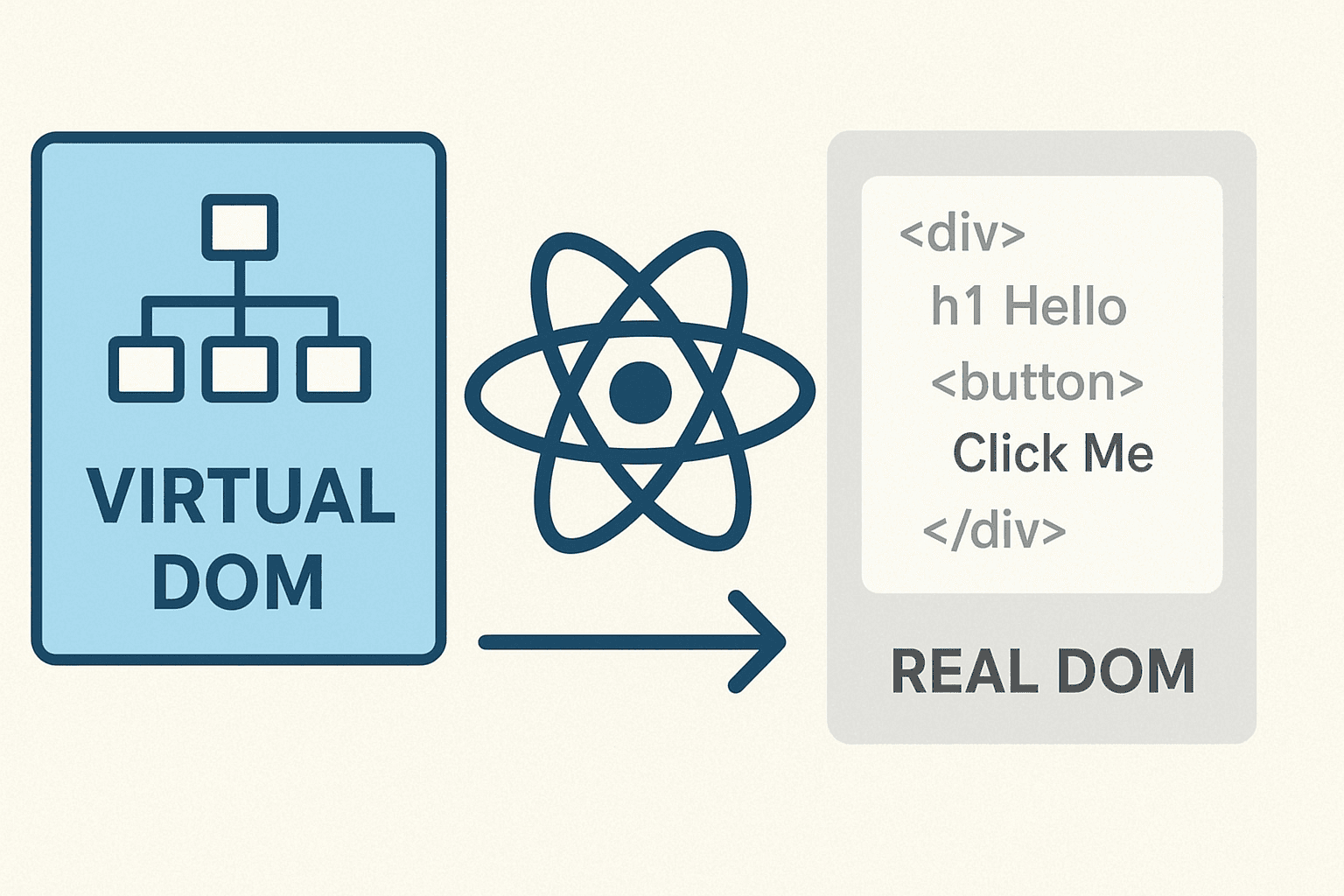
The Virtual DOM (VDOM) is one of React’s core innovations. At a basic level, it is:
A lightweight, in-memory representation of the actual DOM.
Made of simple JavaScript objects that describe UI elements and their structure.
A kind of staging area where React prepares and calculates changes before applying them to the browser’s DOM.
Think of it as a blueprint of a building:
You first modify the blueprint (cheap, quick, no real-world cost).
Only after the design is finalized do you renovate the actual building (time-consuming, costly).
React follows the same idea. It updates the Virtual DOM first, figures out what actually changed, and then makes the minimal possible updates to the real DOM.
The real DOM is slow to manipulate because it is directly tied to the rendering engine of the browser. When you change one element:
The browser often needs to recalculate CSS styles.
It may have to reflow layouts, repositioning elements on the page.
Finally, it must repaint pixels on the screen.
Even small updates can cascade into expensive operations. In apps with hundreds or thousands of elements, this becomes a serious performance bottleneck.
By introducing a Virtual DOM layer, React ensures:
Updates happen in memory first (fast, cheap).
Only the necessary changes are applied to the actual DOM (optimized).
The Virtual DOM is essentially a tree of JavaScript objects that mirrors the real DOM tree.
Example real DOM:
<div id="app">
  <h1>Hello World</h1>
  <button>Click Me</button>
</div>
Virtual DOM equivalent:
{
  type: "div",
  props: { id: "app" },
  children: [
    { type: "h1", props: {}, children: ["Hello World"] },
    { type: "button", props: {}, children: ["Click Me"] }
  ]
}
Instead of manipulating real nodes directly, React manipulates this lightweight JavaScript object tree.
Think of writing a 50-page report:
If you edit directly on the printed copy, every small change forces you to reprint all 50 pages — slow and wasteful.
Instead, you edit in a draft document (Word, Google Docs). Once finalized, you only print the few pages that changed.
The Virtual DOM is that draft workspace for React.
By working with a Virtual DOM, React:
Reduces direct DOM operations — since most changes happen in memory.
Batches updates — React groups multiple state changes and processes them efficiently.
Performs diffing — React compares the new Virtual DOM with the previous one and updates only what’s necessary.
This is the reason React can handle highly interactive UIs (dashboards, live feeds, chat apps) without becoming sluggish.
React components produce elements (via JSX).
React builds a Virtual DOM tree.
React converts it into real DOM nodes and mounts them.
Component re-runs → produces a new Virtual DOM.
React compares old VDOM vs new VDOM (diffing).
React computes the minimal DOM mutations.
React updates the DOM in a batch.
Different types → replace node.
Same type, different props → update props only.
Lists → use keys to track items across renders.
Example:
<ul>
  {items.map(item => <li key={item.id}>{item.text}</li>)}
</ul>
If you change only one item.text, React updates just that <li>, not the entire <ul>.
React splits updates into:
Render Phase (diffing)
Create new VDOM.
Compare with previous VDOM.
Collect changes.
Commit Phase
Apply minimal mutations to real DOM.
Run effects, refs, lifecycle hooks.
This batching avoids intermediate, wasteful DOM reflows.
The Virtual DOM solved correctness and performance. But React 15 and earlier had a problem: updates were synchronous.
A large render could freeze the UI until finished.
React 16 introduced Fiber, a new reconciliation engine:
Breaks rendering into units of work.
Allows React to pause, resume, abort, or prioritize work.
Each VDOM element is linked to a Fiber node (a data structure with pointers to parent/child/sibling).
Updates are scheduled with lanes (priorities).
Urgent updates (typing, animations) interrupt less important ones (background data fetching).
The browser remains responsive.
With startTransition, developers can mark expensive updates as low priority.
Example: Typing in a search bar stays smooth while React filters a huge list in the background.
No need to write manual DOM manipulation code.
React ensures UI always reflects state.
Virtual DOM diffing ensures consistency.
Fiber scheduling ensures responsiveness.
React DOM → web.
React Native → maps VDOM to native views.
React Three Fiber → maps VDOM to WebGL.
All possible because UI description is abstracted in the Virtual DOM.
Components are isolated and predictable.
Even massive teams (Facebook, Airbnb) can scale apps with fewer bugs.
News Feed updates frequently (likes, comments, live updates).
Virtual DOM ensures minimal re-renders → smooth scrolling.
Complex media grids, stories, infinite scrolling.
React’s VDOM + Fiber enable background rendering for feed updates without freezing.
Migrated UI to React in 2015.
Result: 50% faster startup, smoother TV UIs.
Thousands of reusable components.
Virtual DOM abstraction allowed consistent rendering across web and mobile.
While React’s Virtual DOM approach is innovative, it’s important to understand how it compares to other major frontend frameworks. Each framework takes a slightly different route to solve the same fundamental problem: how to efficiently update the UI when state changes.
AngularJS (the original Angular 1.x) used a dirty-checking mechanism.
Every time a change happened, Angular ran a digest cycle that checked all the variables in scope and compared them with previous values.
This worked fine for small apps, but as the app size and number of bindings grew, the digest cycles became expensive.
For large, dynamic UIs, performance dropped significantly because Angular had to keep checking every variable, even if most didn’t change.
React’s Virtual DOM solved this by:
Representing the UI as a tree.
Running diffing only where state/props actually changed.
Avoiding a global check on all variables.
With Angular 2+ (modern Angular), the framework moved closer to React’s model:
It introduced zone.js for change detection.
It compiles templates into optimized JavaScript instructions.
Performance improved drastically, but React’s Virtual DOM still offered more predictability and fine-grained rendering control (especially with concurrent rendering and Fiber).
Vue also uses a Virtual DOM, but pairs it with a reactivity system.
Vue tracks dependencies at the component level.
When a reactive property changes, Vue knows exactly which components depend on it and updates only those.
This can be more efficient in many cases because Vue avoids unnecessary diffing work.
Example:
If you have a large form with 50 fields, but only one changes, Vue updates just that field’s component. React will still diff the entire subtree but optimize rendering through reconciliation.
Vue’s computed properties and watchers make it easy to optimize performance.
React focuses more on state as a function of props (unidirectional data flow) and scheduling updates with Fiber.
The difference:
Vue = reactivity-driven updates + VDOM.
React = scheduler-driven updates + VDOM.
Both work well, but React’s scheduling system scales better for concurrent rendering and complex UIs.
When comparing across frameworks:
Angular (legacy) struggled with dirty-checking.
Vue combines reactivity + VDOM but doesn’t have React’s scheduling.
Svelte and SolidJS avoid VDOM but sacrifice flexibility for performance.
Preact is fast but limited.
React’s Virtual DOM + Fiber strikes a balance:
Performance (with concurrent rendering).
Flexibility (custom renderers, React Native).
Ecosystem (tools, libraries, hiring pool).
Predictable mental model (UI = f(state)).
That’s why, despite new challengers, React’s Virtual DOM continues to be the dominant abstraction in frontend development.
Always use keys for list items
{todos.map(todo => <li key={todo.id}>{todo.text}</li>)}
Minimize state
Store only what you must.
Derive values when possible.
Use memoization
React.memo, useMemo, useCallback.
Prevents re-renders of unchanged components.
Split components
Batch updates
React already batches in event handlers.
Don’t force synchronous DOM reads/writes.
Concurrent rendering features
startTransition for heavy updates.Server Components → render parts of UI on server.
Streaming SSR → faster hydration.
Selective Hydration → hydrate only parts visible to user.
Virtual DOM remains the foundation for these innovations.
The Virtual DOM is more than a clever optimization. It’s the architectural backbone that:
Enables declarative programming.
Ensures scalable, maintainable UIs.
Powers concurrency and cross-platform rendering.
React is “better” not because Virtual DOM is the fastest approach in micro-benchmarks — but because it offers the best trade-offs for real-world apps: performance, predictability, scalability, and developer experience.
As frontend continues to evolve, React’s Virtual DOM will keep adapting — not as a buzzword, but as a proven foundation for building UIs at scale.